Showing posts with label Calibre. Show all posts

Friday, October 17, 2014

How to Publish a Dozen Books in an Afternoon.

An afternoon's work can get your next dozen books available to millions within 3 days.


This came home to me today as I (finally) started publishing another batch of books I'd been polishing. Of course, it didn't go smoothly - as I had to stop and get yet another tool out over and again.

So I wrote it up for you.

Here's the simple book-publishing steps and tools you'll need and in what in order: 


0. Work your books up in advance. This is your "batch." As it's as simple to publish 10 or 20 books as it is to publish one. My current project is publishing Private License Rights (PLR) and Public Domain (PD) books for a certain niche. You wind up with a cover, an epubchecked epub, and a PDF for every book. All your meta data is stored in Calibre - or shortly will be.

1. Open Calibre and create a virtual library of only the books you want to publish. While you have already written your description and tags/keywords, you are going to use this to collect the ISBN's and printed page count.

2. A spreadsheet with the BISAC (BISG) codes. (See that link - your free copy.) All distributors have some version of these. Google, Apple, and Nook use the exact ones. Everyone else - not so much.

3. The blog where you are creating the landing page for that book. This is opened up to the edit page - you'll create a new page for each book as you go.

4. In the same (or even a different browser) open all the distributor windows (except iTunes - which requires a MAC with their "iTunes Producer" to upload files.) In that case, use a MAC for all these, or shunt/copy your file over to the MAC and access Calibre over your home network so you don't have missing meta-data and can still cut/paste. (See note about iTunes use in batches below.)

5. Have Gimp open, but minimized, as you may need to resize or fix a cover here and there. Same for LibreOffice.

6. Have a plain-text editor ready for accepting data.

At this point, the best approach is to shut everything else down so you can just concentrate on publishing.

The one exception (as this gets a bit repetitive) is to have a playlist of video's running so you can get through some of those video courses you've downloaded. One person uses the same tune running over and over on a loop, just as white noise.

The simple book-publishing sequence:


a. Work one file at a time - open the book up in Calibre so you have the meta data available. Do all the distributors for this book before you move to the next.

b. Look up the BISAC data and copy five strings of data to it. This has the number itself, and all the categories and subcategories in it. Google uses just the number, while Nook and iTunes use the categories. Lulu, Amazon, and Kobo use their own versions - but this will give you an idea where to set them. Google and iTunes will allow unlimited BISAC codes, Nook 5, Kobo 3, Amazon 2, and Lulu just one (and it has to be a main category.)

c. Publish your ebook on Lulu. This is to get the ISBN. Note that ISBN in Calibre. If Lulu hangs and you can't get it sorted out quickly (images and internal links will throw it off) then skip it. (Personally, I get almost no ebook sales on Lulu itself, but a few now and then still pays for being there.)

d. Publish your hardcopy book on Lulu with the PDF. Note that ISBN in Calibre as well as the page count. (Nook wants a page count. iTunes and Google want the ISBN.)

e. Now use the metadata and cover to create your landing page. Simple. You can set up icons and links which can be copy/pasted into the page for each distributor - then come back and generate the links by ISBN to replace what's there. I set up a spreadsheet to generate the links based on ISBN (Amazon uses ASIN for ebook - but sends it to you, and you can use ISBN-10 via a Powell search to generate the hardcopy link. See this post for a better description.)

f. Port to the distributors in this order: Google Play, iTunes, Nook, Amazon, Kobo. That's in order of complexity and meta data they require.

Once you're done with one book then take the next, until you're done with the list. By test, this is the easiest way to get a batch of books published.

Why it can take 3 days to reach millions of potential customers

You have that amount of delay in the 6 main distributors approving your work. Amazon and Kobo can be the worst, but it's better on all of them than it ever has been. Mostly, you'll see them approved in 24 hours if not just a few.

Do recall that by getting on iTunes and GooglePlay, you are now on 98-99% of all the smartphones and mobile devices out there. Amazon is the big gun with several million viewers of it's own, but Kobo is in more countries than anyone else. And yes, people will buy your hardcopy book through GooglePlay if you give them the right link (remember that landing page?)

If your batch is set up as a series, they tend to feed each other. And you can come back to do a bundle of several (or all) of them together.

Notes and Additionals


Note1: You may want to have boilerplate "About the author" ready - GooglePlay and iTunes like this.

Note2: The most efficient way to do your batch-publishing is with a MAC (and dual monitors.) If you do all the distributors on Windows or Linux except iTunes, then iTunes is probably best done by itself, after you do the rest. Reason being that you need to get the ISBN from Lulu for both ebook and print versions and enter these into Calibre. (The use of ISBN's is to enable search engines to list your book more effectively, as well as making your site links - as noted above.)

PS. What do you do after you publish your batch? Go get a beverage of choice, and relax. Then get started on creating your next batch of books for your next niche - or set up a book launch for that batch as a series. Your list interaction during that launch will tell you what the next batch of books should be about.

Have fun with this. 

PPS. And subscribe above right so you don't miss the next issue. Be sure to leave a comment below about what you're thinking now. Did it help you? Motivate you? Discourage you? Tell me. Let me know.

Monday, August 11, 2014

The Copywriting Classics Publishing Post-Mortem

Postmortem of a rack of public domain classics published on an assembly-line basis.
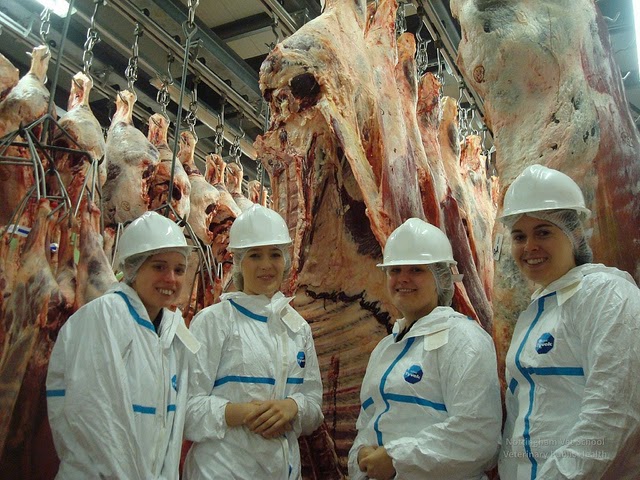
(photo: School of Veterinary Medicine)

Racking up a queue of public domain classics for publishing, does seem like an hygienic assembly line at times.

This post-mortem is a critique of what went well and could be improved on this latest batch of books.

Mission Creep

It started out with probably 6 or 7 books which were really the backbone to this study. I was studying copywriting, and soon found out that most people didn't have a clue what they were doing. The basics had been known since the 1920's and most of the "guru's" since then were simply working on trite third-hand formula's. The real "greats" of this industry had actually studied these old books and referred to them as their own mentors.

By the end of this cycle, I published a dozen books on marketing and three more of my own (two of which were ready to go and these copywriting books had set them aside. The third was a book on publishing public domain books - which study grew as I created this set.

As I edited and prepared these texts, I found I needed to include books on salesmanship, since the old adage held true, that: "Advertising is Salesmanship in Print."  I already had one great book, but went to find more - particularly Wheeler's works. Dale Carnegie's classic "How to Win Friends..." came up as particularly effective for salespeople. So I added it as well.

Two other books showed up - small fiction pieces, "Obvious Adams" and "Breezy" - as a form of giveaway, but also as illustration how the whole system fit together to get sales. 

In most cases, you won't get into this - as you are republishing classics based on their sales. However, when you are researching a new field, get your huge list of books set from the outgo.

Binders

This was also added to as I evolved my publishing methods as I went.

I resolved to get back into adding public domain books on Amazon, so this series was used as a test. In the middle of this, I found that both Kobo and Lulu were clamping down on public domain, so I would need to publish to iTunes and Nook directly. Adding these to Amazon seemed another logical extension. So my porting to distributors was a bit start-and-stop. Even today, I don't know if I go all the books everywhere, since more were added as I went.

By the time I got to Amazon, it seemed that binders (aka: collections, box sets, series) were a very sensible approach to getting books up and on Amazon. But the end result with that Godzilla was that if your book is primarily public domain content, you need to only take the 35% royalty. (Much as Kobo's mandatory 20%.)

Also binders on BitTorrent as promotion became very sensible, as they evolved this scene. I'm now collecting notes on my marketing, which will evolve into a third book on ebook self-publishing once it get more into the meat of this and flesh it out a bit more. (That is another story for another time.)

Assembly-line basics.

In my recently published "Publish. Profit. Independence." I cover getting your public-domain publishing sequences right.
  1. Select a series based on potential sales.
  2. Set up a folder for all the files needed for each book into an overall folder for that series. (You'll need some sort of shared folder to get them to the MAC for iTunes publishing.)
  3. Edit these individually into shape, taking care to verify each book as truly public domain (note the first-published date and date author died for each, probably best in Calibre - Amazon may want to know.)
  4. Get the covers done.
  5. Create the PDF files and publish hardcopy versions through Lulu for wide distribution through those channels. Get a proof copy of each and approve when you have any errors corrected.
  6. Ensure you have all the meta-data corrected and set up in Calibre, including both ISBN's for ebook and print book. Descriptions, BISAC codes, everything.

In porting to distributors, it seems simplest to just follow your series in Calibre for each of these books. Take one distributor and publish everything to that outlet. Then take the next outlet, etc. (Do as I say, not as I've done.)

Again: plan your work, work your plan.

Part of this plan is working out what will be the giveaway or intro books to this series. Another is what binders/collections you'll be creating. The key limit is how many print pages will result, as Lulu will only go up to about 800. You want the binder to link to the print book, as this gives you additional search engine mojo with several authors for each binder/collection. (Of course, fiction by a single author would be different. Still, some people look by title, so you have these in your description.)

Marketing starts once the publishing is done.

All of these distributors now allow pre-sales. Getting everything published complicates this a bit, but only to the degree you allow mission creep. Stick to a precise set of books and then add more later.

There is as much or more to do with marketing than there is in editing the book into shape.

And on the business end, this is where you would actually start with your SOHO publishing business. An organized individual can market faster and more effectively than any tradition-bound publishing house. And the remaining vanity presses don't market at all - they really only print you up a bunch and ship them wherever you want.

As I said above, I'll get into marketing as I get there. So this was completely omitted from the Copywriting Series, other than a single BitTorrent bundle, which has actually given me a little site traffic.

Which brings us to landing pages for each book.

You build these as you go along in your editing, especially when you have a cover, so they have a bit of age to them by the time you finish publishing everywhere.

The reason for this is to have somewhere for search engines to go when you need to give more data. GooglePlay is the best at this (and you can send them directly to your high-royalty Lulu checkout link from there as well.) Anything Google will just help you rank better.

What was fascinating here was to update my spreadsheet which generates ISBN-based links to every major distributor. Amazon uses an older version of this (10 digits instead of 13) for print versions, but obstinately only gives you an ASIN for digital ones - you can't search like everywhere else.

Having the print versions also opened the door for hardcopy affiliate sales, particularly Powell's and Indiebound. The rest either have some unique code you have to generate for every single book. Which can be done, but is a complete pain - a dozen books with almost as many distributors = 140 links to generate.

One spreadsheet with two dozen ISBNs (two per book) and you have all the links generated as you need them. Much simpler. (iTunes does give you a script to put at the footer of your page to convert any links to affiliate sales.)

The key income you are getting is from distributor sales, not personally generated affiliate sales, so it's not something to lose sleep over.

There are also substantial extra marketing you can do via iTunes, Amazon, and Nook - you can also set up specials via Google Play that run for a certain time. But I'll get into all this marketing later. Right now, building a huge backbench is my business plan. Between now and then, the stats continue to generate and tell me which are my bestsellers which deserve the marketing investment.

Practice makes Permanent

The more you do at this, the better and faster you can do it.

As I said (and cover in my Publish. Profit. Independence.) - I found I made more money publishing other people's works, even with no marketing - than I did on my own.

The more you publish, the easier it gets. I'm way over 150 by now, with some 400 iterations of various titles available on Lulu.)

This is all passive income, which is taxed the least and is the most profitable. The books I publish now will generate income from here on out (other than a massive solar flare wrecking the Internet for a short while.)

So I'm currently concentrating on getting an even deeper backbench built so this income can be leveraged with marketing as I go. While only a handful of books sell extremely well, others barely sell - but all sales are income, even the 99-cent specials.

As you get several batches done, the process gets much simpler. It becomes so easy to publish, it seems a drag to have to market at all. But that is just an attitude which is leaving money on the table.

Once I have a few of these mega-projects wrapped up (which should result in about 4-500 individual titles published on 6 distributors) then I'll be able to analyze the couple or three years of sales meanwhile to select which need to be marketed first - then simply work these up as an assembly line on their own.

This post is already too long, so we'll leave it at that. Backbench first, then improve discovery (increase eyeballs) and finally getting into the social signals via trustworthy marketing. Again, this is a cryptic note as the whole cycle will result in a final book for the SOHO publisher.

Summary

  • Plan your work, work your plan. 
  • Publish in batches.
  • Leverage everything you can.
  • KISS.

Saturday, June 7, 2014

How to Post Your eBook to Multiple Distributors - Ease and Profit

Easy Profit can be made by self-publishing your ebooks to multiple distributors in an efficient sequence.
(photo: Blythe)

Sequence and Feeding of eBook Distributors - How to take it easy and make extra passive income meanwhile.

If you've been following this series of articles, you'll know that we are now up to about eight major distributors to use. As an Indie Publisher, it's key to ensure you make best use of your time, to be efficient and profitable. It's all investing time for money. Leveraging your time makes money. Simple.

With eight distributors, there are more than a few tricks on how to get the most bang for your buck. Unknown, you'll see these "Tips for Self-Publishing" where they tell you to just stick with Amazon, or only publish to Smashwords. That's where you're leaving money on the table. Until you get a routinely-good-selling book (or several) on Amazon, you'll need to get these other distributors stocked as well.

Note: You'll also note that distributing via Lulu or Smashwords isn't covered. Reason being that they don't allow public domain works to be published, plus you are paying them out of your royalties to distribute your books. If this is your current workflow, then adjust based on the below. 

Right now, the other 7 distributors give me about half of what I'm getting from Amazon with only one decent seller there. (And it's a 99-center.) When I started out, I was making four times as much from the other distributors as I did from Amazon, and that was enough to cover my monthly bills and quit working for anyone else.

Bottom line is that Amazon is a crap-shoot, and the regular sales you get from multiple other distributors will even things out for you. We're here to make enough profit to live on and then some. (Also known as "Financial Freedom.") Start by making money right off, and then build this up as you market your books and improve their discoverability.

The Lowest Common Denominator versus the Covers-All-Bases approach

As we build our ebook, and related versions, we want to work with the Lowest Common Denominator (LCD) which will be accepted everywhere. This is the epub format, once it's been properly "epubchecked" and verified.

In posting to distributors, in general you want to start with posting to the distributor which enables you to post the most meta-data possible - then record that meta-data so you have it for the rest. Meta-data is the details about your book which takes the longest to assemble - and is your key marketing steps to take as you publish.

By "covering all bases" with the distributors which allow the greatest possible meta-data included (better for search engine discovery), then you can gather all this material once and copy/paste to the remaining distributors - tweaking as you go. This leverages your time and makes the publishing cycle quicker.

(Caveat: My tests with Leanpub and OverDrive are still ongoing at this writing.)

A rough sequence would roll like this:
  1. Creation of your book on LibreOffice (since it will port to PDF and HTML directly.)
  2. Either create an epub with the Writer2Epub plug-in, or save as HTML and import to Leanpub for creation. On Leanpub, you'll simply publish it to get the epub file and then come back to fill in the meta-data.
  3. Start your publishing with Lulu in order to get the free ISBN. (While ISBN's aren't required by any ebook distributor I know of, they make it simpler to track.) You don't have to finish the Lulu publishing cycle as this point, just collect the ISBN.
  4. If you haven't already, open up Calibre and import your ebook. This is where you will input all your meta-data for later use. Note: create a custom meta-data input field for BISAC codes in Calibre. (Yes, I owe you a how-to article on this.) And I have created a spreadsheet for these you can access free.
  5. Open up Google Play (https://play.google.com/books/publish/) upload your ebook, and fill out everything there. Record that data into Calibre.
  6. Then post your book to iTunes and Nook, which are the next most data intensive.
  7. Amazon follows, and Kobo. Both of these have their own versions of BISAC for categories.
  8. Wrap up posting to Lulu and filling out your Leanpub data fully at this point. These two have the least meta-data to fill in.
  9. Then post to OverDrive, which has different pricing points to consider.
  10. Finally, update your ebook website with all these buy links, as well as Leanpub binders and packages.

That gives you an efficient work-flow with the fewest sets of back-stepping.

Notes:

  • Recording all your meta-data into Calibre makes copy/paste an actuality.
  • You'll start getting sales from Google and Kobo within days. Amazon probably won't rank you until you get some reviews. It may also take as long as a month or 6 weeks for your book to show up on iTunes and Nook. Almost all of these have a month delay from the time they make a sale until you can get paid for it. Nook has their statistics delayed by another month as well, so any attempt as a complete book sales analysis will always be tardy at best.
  • As it's best to do a print version as well, you might want to publish this first via Lulu and get your proof sent. Any meta-data you use here can go into Calibre and expanded on. That secondary ISBN will be useful on GooglePlay, iTunes, Nook, and Leanpub right off. Google, for one, will link to it for sales (they get a split of sales they send to the major booksellers.)
  • Affliliate links are available via Leanpub, so you can get your audience to sell these for you. 
  • One marketing strategy would be to set a publishing date farther in the future (once you are more certain it will be available on iTunes and Nook) so you can allow pre-orders on Amazon, Kobo, etc. Meanwhile, you can publish your book via Leanpub as you write it, which may finance your project, plus giving you vital audience feedback. You send out emails to your list so they can stay updated on your progress and will be able to post reviews on Amazon when it goes live. (The Amazon version is obviously discounted at first, just to get those paid reviews.) Note: Leanpub auto-publishes a .mobi version for Kindle ereaders. 
  • If you use Leanpub to compile your book and involve your audience, you can use Calibre to convert the resulting epub to an HTML or RTF file (importing to LibreOffice) to edit your print version PDF for Lulu.
  • Goodreads is anther way to get reviews ported to its owner Amazon 
  • If you are active on this platform, then post your pre-publication chapters there.
  • Always update your website when you generate anything with a new link. Search Engines love this.
  • Always get started on your next book once you've published your last one. Your audience will love you for that - send an email to your list when you do.
  • For serious publishers, this is best done in batches, especially for PLR or PD based books. Marketing for these is often based on what starts selling on its own - then you back this up with additional promotion which will goose the various sales algorithms a bit.
  • You can do all this on a MAC mini. Food for thought. 

Then what?

Now you can expand into the various online marketing campaigns. Video trailers, social media syndication, doc-sharing, all these online marketing approaches can be layered on this. Even buying traffic to your book's webpage via Stumbleupon.

The point of this is to enable you to get started with sales right off and not waste any time as you do. As you ramp up your marketing efforts, then your sales should respond as well. Eventually it takes off (or not.)

Your time marches on, regardless. Don't waste it - invest your time, leverage your time.
Enhanced by Zemanta

Friday, May 16, 2014

How to Build a Public Domain (Self) Publishing Assembly Line

Publishing public domain books means volume and repetitive tasks - an assembly line.

Publishing books on an assembly line basis is possible in self-publishing.
(art credit:Tobias Mikkelson)
A one-person publishing "empire" is possible these days. Regular passive income can be made from re-publishing public domain as long as you:
1) Add value.
2) Market effectively.
3) Stay focused.

The efficiencies of scale work here. As a single person (or small group) it's best to work in batches.

A project I'm currently involved in has passed the testing phase (28 books to 5 distributors) - sales are quite good, which means it's time to broaden the project.

Elsewhere, I've dealt in why this is possible, why it's profitable, specifics necessary to public domain publishing itself.

Today, let's organize for regular production.

0. Overview: we are building ebooks as the cornerstone, since in many cases these books have only poor-quality versions out there. While we also create the hardcopy version, the ebook version will have the links to send people to your website and also to the hardcopy version. You can do far more search engine marketing more easily to a digital product than a physical one.

We work in batches so that you can get some done and then do some more, and so on. If you give yourself a hundred books to publish in a certain niche, it can get tedious to do more than a few at once. A week doing each step could get monotonous. So set yourself a target for a handful of books published all the way through for that week. The next week, you can take the next set, and so on.

Note: You should do all the steps below to every distributor you are going to be using at least once. That way you can verify each step and adjust your templates as needed. You'll be tweaking as you go, but start off on the right foot with correct files - so you don't have to correct several dozen files which weren't created right originally. Each distributor is slightly different. Now that Lulu won't distribute public domain books, you are distributing to iTunes and Nook on your own. The other major ones are Amazon, Kobo, GooglePlay, and Leanpub. (See my other posts for specifics on each - as well as "Just Publish!")

00. Best is to set up a regular slot for uninterrupted work. Because it's work and you have to focus. Except for the cover, there is very little creative work here. It's more a point of digging a ditch, figuring out how many feet you can dig each day. Don't allow distractions, set daily goals and meet them, much as Stephen King and other writers simply crank out 2,000 words each day or else. Clock in, do your job, clock out. Move on.

1. Amass a selection of public domain books in a certain area. This is one of the points to adding value. You are going to be marketing these books newly, banking on either their content or their previous "well-known" status to gain your own sales.

You want the best-quality books you can find, as this will speed up your editing. Right off the bat, let's get one thing straight. While versions come and go, when a book is in the public domain, it belongs to everyone. In a later edition which has been edited, only the edits belong to that editor as copyright-able. The original text is still free to use. (See Wikipedia article on Derivative Works. This is not legal advice.)

I've found that quality ebooks are the easiest to edit. Sometimes the PDF's are created such that they have line breaks after every line, so you have to do a massive search/replace with a text editor to solve this. Time-consuming, and not often accurate, so requiring extra cross-check steps to ensure quality.

But, isn't this a rip-off? That's your value judgement. A lot of people put a lot of work into editing public domain books into shape. They are much appreciated. I link to my ebook sources all the time, and contribute to them as well. Even Gutenberg says that if you are going to use their books, ensure you take every mention of them out for trademark reasons. The point is adding value. There are literally hundreds of sites out there offering free ebooks of one type or another. Add value to make your versions stand out. Attract only paid readers, and become their go-to choice for these. You can always make derivative works which are even more helpful. Collected works by a single author in a sub-genre is one example. Study guides are another. Making it more possible for people to access and appreciate out-of-print public domain books is valuable in and of itself. People pay for quality. Creating a series of books in a certain area (like copywriting classics) is quite valuable, compared to the maze of misleading texts in this area these days. Always, always add value.

Many of the machine-produced ebooks have errors in them. So finding sites which offer versions which have already been edited are best - though sometimes you have no choice, particularly in long-tail niches.

1a. Select a logical batch to work on. Example: Out of a pile of fiction books, pick a genre, then subdivide that by author, etc. In a mass of fiction works some genre's (Romance) are more popular than others. Self-Help and Biography are more popular in non-fiction. Starting with a batch of these (selected Jane Austen's works, then the Bronte sisters, for example) would be a simple one. Or simply take the top 10 bestsellers, then the next 10, etc. so you can see an immediate boost in your income.

Long-tail niches are different. A site with old machine manuals might have books divided by brand or by type of equipment.  The books for a self-help author site could be divided into batches by author, school (New Thought), or technique (Affirmations).

2. Build a landing page for this set of books. We want to be able to send people to a site for "additional materials and related books," as well as being able to have a specific page where they can buy the books with all the links on it. If you are doing a handful of books only, then you can create a landing page for each one. A series could have a landing page for the set.

At the extreme front and back of each ebook, there is a link where you send people to that landing page. First and last thing they see - which will help them to act. You want to leverage any buyer of a single volume into a client for the rest.

At this stage, you merely set up the landing page. Later, we'll flesh it out with the cover, description and links. Building this at the beginning so you can easily link to it as you go, then come back when your book is published to update the landing page itself.

2a. Set up a template for the cover. Using GIMP, it's simple to create this in editable layers so that you can change out images and titles, etc. as you go. Create the master template at this point, then "save as" the specific book you are working on when you get to this.

3. Edit this batch into shape. Easiest production line is to use Calibre to convert epub versions to HTML files. Then open this in LibreOffice (or your own doc editor) and save in their native format. This has to be done on a one-on-one basis, obviously. But the steps are very similar and are actually less tiring to do several at once, as you can import the settings from one document to the next.

You do add the links at the front and back at this point to your landing page. If you have several books, you can link them with on-page anchors (Ex. "http://yourdomain.com/landing-page.html#anchor") so when they click they go to that specific part of the page to buy.

3a. Export the epub and test. This is by Sigil. You do an epubcheck to see if it will pass. I've only ever had a single book rejected (out of literally hundreds) which had earlier passed this check. That one turned out to have a very unique filename on it which was fine with Sigil, but not with Lulu.

Now days (and I haven't been able to do this on the MAC, and forget Windows...) I use another step of opening it with Calibre's editor, which will correct oddball filenames and often gets it into shape so that Sigil passes it right off. It's an extra step, but Calibre will correct mass errors that I've had to edit by hand in Sigil, which is painful.

3b. Create the hardcopy version. Save as a new file, then export as PDF. LibreOffice will automatically embed the fonts and produces a file which Lulu is happy with. We are using Lulu to publish as they have been doing it longer than anyone else, give free ISBN's, and are not subject to Amazon discrimination by independent bookstores who won't carry a CreateSpace edition, as it's owned by Amazon. CreateSpace has had to constantly play catch-up to Lulu.

You want to base your template off what is acceptable in Lulu. I usually format to trade-paperback, which is the same as hardback. Or rather that a 6x9 paperback can also be published as a hardback. Both versions get their own ISBN (required for hardcopy books) and will also add more authority (and sales) to your ebook when you do.

3c. Amazon has specific requirements to ensure they don't have duplicative files. These are linked on that step of their submission - but are essentially adding additional, relevant images (at least 10) or an annotation.

4. Create all the covers for this batch. This is a different form of editing, and will get faster as you repeat the actions as one set. Each one is different, so don't get into a scene of rubberstamping them.

If you want, out-source this, but ensure you aren't busting your own bank. Many public domain books will not sell well, just like they never did to begin with. Some bestsellers will sell regardless of who re-publishes them. Like the legacy publishers, the handful of books which sell really well will pay for the production of the others.

There are requirements for cover size, such as being a minimum of 1000 pixels on the shortest side for iTunes. Your template should take this into account, so that you don't have to go back and resize each one.

5. Fire up Calibre to record the meta-data as you publish these. You'll want to import all your books in all their versions into Calibre as well.  This will come in very handy for exporting a batch of books to GooglePlay, where you have to rename them by ISBN for submission.

6. Taking one distributor at a time (and starting with Lulu) publish the batch. We start with Lulu to test each book for inclusion into iTunes and Kobo. This is also where you can get a free ISBN. If it passes here, then you're set. Lulu will check for correct titles and files. At the end, you want to make sure you uncheck distribution to anywhere else. Saves you and them time.

The reason for the ISBN is to make searching for these easier. None of these distributors require ISBN's, actually. They all assign their own number to the book. You can (in all cases except Amazon) search by ISBN, so this is a template of links where you only have to change a single number in the code to have it work for each additional book.

6a. Submit your hardcopy version to extended distribution, so it will go through to Amazon and everywhere else. This means you will be buying a proof. Note: In doing this in batches, don't "check out" until you've published all your hardcopy books - this will save you shipping costs.)

Again, record this (required) ISBN in Calibre. (Note: Again, each distinct version of a book requires its own ISBN - ebook, paperback, hardback, audiobook, etc.) Most of the distributors (not Lulu or Amazon) actually encourage you to enter the print ISBN along with the ebook's. For GooglePlay, this is a simple way to promote both versions. (In Amazon, you need to send them an email to match up the two versions. Lulu isn't all that important in terms of actual online sales.)

You'll use the same cover as the ebook. This is efficient, it's also branding.

6b. For Googleplay, you'll upload all the ebooks as a batch with their titles changed to [ISBN].epub.

6c. Note: I haven't tested Leanpub extensively, so consider the below theory at this point -

In Leanpub, you are going to actually re-edit the book in their editor to get it into their system. Export the file (save as) to HTML, then open it up with Leanpub and (re)create your book again.

Other than already having several batches ready in LibreOffice, I would recommend setting up your ebook with Leanpub first. You are already starting out with an HTML file. Leanpub then gives you an epub version which is supposedly passing epubcheck. With this line, you'd then check it with Calibre's editor and Sigil just to be sure.

You will still need to open up the file in LibreOffice in order to create the hardcopy version. Leanpub creates a PDF file, and you can specify sizes of output. It is unknown at this writing if such a PDF will pass Lulu's requirements. (Tests forthcoming.)

The value of Leanpub is in creating binders and also to get maximal royalties. Buyers can actually reward you with higher royalties by increasing the price. Here you are also able to create packages with additonal data you weren't able to include in the book. Samples of other books, additional graphics, other related PDF's, etc.

6d. Publish to Kobo last as they pay the least in royalties (20%) - and have the worst policy of having to declare it as public domain if you include the entire book - even collections. Otherwise, they remove it. (Googleplay pays the most, as they simply don't care if it's public domain. So their 52% royalty is the highest except for Leanpub.)  If you get behind, you won't miss much. But do publish to Kobo, as you will get some income that you won't know you missed otherwise. Every penny counts.

7. Rinse, repeat - with your next batch.

- - - -

Notes:
Obviously, the devil is in the details. Producing high-volume, low-value shlock is exactly why distributors don't really like (read: royalty penalties) accepting public domain books. I usually publish as a beta edition, as there is no real cost-effective way to find every single error - 99.99 should be sufficient for most readers, since you make up the difference with price or other added-value.

If you have a truly original book (or one which is composed from excerpts of several public domain books) then you can distribute via Lulu to the Amazon, iTunes, Nook, and Kobo - all for 10% of your total royalties. That makes it much simpler and faster. Lulu decided not to publish public domain any longer, which now makes individual publishing required. Each distributor has their own requirements about public domain, which is apparently why Lulu changed their policy to squash this.

Since the bulk of my income comes from PD books as opposed to my original works, this will limit Lulu's sharing my future income. (They'll still get my hardcopy version income, though.)

Publishing PDF's directly to Lulu for hardcopy can be done. But you'll never be able to get an epub out of it without OCR and editing that OCR into shape. A big book can take me most of a work-week to create an epub that way. So it's not suggested compared with taking an existing epub, cross-checking it with that PDF to correct errors. But fastest is to work with high-quality epubs to begin with.

This also applies for PLR as an assembly line. I only really know that Amazon doesn't accept PLR. You don't get the royalty penalties for these books, but you also can't easily make them into hardcopy books. Again, you work with those where you get the .doc or .odt file along with .psd graphics.

I'll tweak this as I start publishing more directly to iTunes and Nook. This is based on nearly a couple of years now publishing directly and via Lulu.

- - - -

Had to get this out of my head, and to clarify it for myself.

Have fun with this.
Enhanced by Zemanta

Wednesday, May 14, 2014

How to Set Up a MAC for Self-Publishing to Itunes

Adventures in Apple-land: Using a MAC as a Self-Publishing Platform

When we last left our hero, he had made the decision - and leapt into the mist.

I ordered a MAC mini (hold the fries) and it arrived two days later. I celebrated by cleaning my desk and removing all the old hardware, cables and everything dusty.

We'll do this in steps. First, the unboxing:

Got my MAC mini shipped in two days from Best Buy - open-box discount.
Nice box from Best Buy online. Gas Duster for reference.
A MAC mini with all the stuff that comes with it. Key is that dongle which allows your monitor to hook up - and those nifty decals.
And look at all the stuff inside...
My MAC mini with leftover/spare USB keyboard, mouse and HDMI monitor. Ready to self-publish books...
All hooked up with leftover/spare everything.
Lulu on a MAC, proving the world doesn't end when public domain isn't distributed anymore.
Proof that the Internet works - from the people who made my MAC necessary.
MACs and Linux self-publishing workstations for home/small business owners.
My full set-up with the right two monitors going to my Linux box.
I connected it up to an existing monitor, plugged in an un-elegant leftover USB keyboard and mouse, and followed their instructions. It's been some years, but the clunky stuff we use in the non-Apple world looks shoddy compared to its elegant design. (Next quarter's royalty payments should give me a Bluetooth Apple keyboard, mouse, and maybe the extra RAM - this quarter's bought this MAC.)

I last used one of the old PowerMACs (15+ years ago) so the familiar startup sound took me back to younger days...

Back to business.

As I suspected, everything I've needed to publish on Windows or Linux are available for MAC. So far, anyway. I'm in the middle of downloading programs like LibreOffice, Firefox, Calibre, Sigil to see if this is all available. I've got nothing against Safari, it's just that I'm not used to it. But yes, MAC versions are available for all of these, and the Writer2Epub plug-in works as well.(See below for links and download sizes.)

The idea here is that a non-MAC user should be able to shift platforms (like how I ditched Windows for Linux.) I'd worked out a production flow which had creation in LibreOffice, and side-checking with Sigil, meta-data stored in Calibre. Firefox has always been my browser of choice (IE has always had security issues, and Chromium is fine, but not the same.)

So if a person has that production flow in Windows or Linux, they can do it on the MAC, too.

Next, in order to publish on iTunes, you have to have an Apple ID, which is fairly easy to set up, and then download iTunes Producer.

Since we are straining my "poor" overworked Internet provider, we'll let that run and get some sleep tonight.

- - - -

After coffee and breakfast: Well, the download didn't. Turns out Safari doesn't handle resuming downloads simply (takes a command line trick.) So I restarted that Firefox download and will install "downthemall" plug-in to make this happen. (With that download manager, you can restart paused/incomplete downloads.)

Again, just making it so I can use the tools I'm familiar with to get to work on this platform.

The blow-by-blow continues...

Since this is a 56mg download and my provider is currently penalizing me at their end of their month, I'm going out to do my chores now, and come back to finish this (hopefully.)

Update: The MAC has pre-configured SAMBA filesharing - nicer than out-of-the-box Linux, actually. OK. Funny enough, the common denominator is reverse-engineered Windows network sharing. Will need some more time on this to figure it out completely. Some work on this (while waiting for my downloads) showed that logging in as a remote user was easiest to get access - but is not work-safe for kids or "hacker wannabe's".

I've taken all my current files and sending them over via the network, so I can test the entire workflow. Calibre and GIMP need something to do.

(Oops - this download didn't go. Too much too fast for my poor Internet Provider, who says I've already downloaded too much, until next month's allotment, which starts in a few days.)

Meanwhile, I finally got the downloads down and, well - see below...

- - - -

What you'll need to simply get started creating your ebooks just like you did on Windows or Linux:

The iTunesProducer file is a 305mg download. Firefox is 59mg, Calibre is 84mg, Sigil 34mg, LibreOffice 190mg, and writer2epub is 1.4mg. So you may be at this awhile to get what you need. Oh - and don't forget GIMP (95mg) for doing your covers.

This means a person can easily shift to the MAC. What the MAC mini does is to make it relatively inexpensive. Anyone who has dealt with older machines usually has leftover mice and keyboards and monitors around. (USB and HDMI video - not the older plug-in versions - although I have a VGA adaptor coming...)

[Update: The Sigil initial download wasn't accepted by the MAC - until I Googled the phrase and found this solution. With that window open (security preferences) it will allow you to install the dmg package that just failed, one at a time. (No need to permanently set yourself wide open.)]

[Update 2: Hold down the control key when you click open, and you get the same "Are You Sure?" dialog.]

[Update 3: While this could be a separate post, all you really need to post your book to the MAC is to download and install their free iTunes Producer. You manage your books in iTunes Connect (http://itunesconnect.apple.com) via most any web browser. If you are already editing it on your Linux/Windows platform, you don't have to download a bunch of stuff to get going. I use Dropbox to sync my latest version to my MAC, and then simply upload those files in the next batch I have going. I then edit or improve the meta-data through my web browser. Again, the added value of a MAC is in the A/V you're now able to create for marketing your book.]


That means we have all the tools we need to create and edit.

However, until I solve file transfer, I will be using the workflow described below. By getting all the vital tools over to the MAC, it says that a first-time self-publisher could easily use a MAC to get their books up and going. And anyone dissatisfied with Windows could make the jump to a better platform. If you need elegance, that would be the only reason to move to a MAC from Linux, IMHO. But I'm a geek down deep and have always loved to get below the hood and tinker. My MAC mini will be a very capable back-up for my dual-monitor production machine.

As I said, when I solve the file transfer (SAMBA) scene, then this may change.

Whoring the MAC to get to iTunes.

The basic summary is that I'll be "whoring" this platform, using it mainly as a "go-to girl" for uploading to the various distributors - but chiefly, this MAC will be used for uploading to iTunes and handling audio recording. Reason being that file transfer is buggy at best - until that is solved, there is no real way to get files across except "sneaker-net" with flash-drives.

One additional feature is the native ability to simply create podcasts. Yes, you can do this with either Windows or Linux, but having a second machine should make this much easier - as I don't have to move/unplug the mic. Yes, I can get good old Audacity for MAC as well. Podcasts and videos are the necessary content production needed for marketing.

This MAC didn't come with any iMovie (it's a $15 app) so it also doesn't qualify (right out of the box, anyway) to handle making audio into video. My Linux version actually came with several of these programs - again, I have those 15 years which was more Linux than Windows during that time. So creating videos is still a learning scene.

[Update: I've found most of these Linux NLE's (movie editors) are also ported to MAC OSX, so that's an upcoming adventure.]

Plus, my Linux box has dual monitors, which is a simpler work flow.

I'll get there with the MAC, but essentially it's the learning curve which is throwing rain on this parade. (Coming up on Day 3 where I should have been editing and publishing.)

The bottom line is: Yes, you can do everything I do to self-publish a book on all the various distributors on a MAC. But just because you have to publish to one distributor, doesn't mean you're going to have to publish everything from there. It's possible, though.

All these downloads will make my learning curve on this platform simpler and shorter.

An alternative work-flow

Go the Leanpub route to build your book. This gives you a tested version at the end, which should pass muster. Means you

  1. Get a MAC (mini) and set it up with all these programs.
  2. Edit your book into shape with LibreOffice, but save it as an HTML file.
  3. Next, you open that in Leanpub and tweak it online.
  4. As part of that, create the cover in GIMP.
  5. Then, when you are happy with it, publish, then download their generated epub, mobi, and PDF files.
  6. Right after that, test it on Lulu to be sure (and to get your free ISBN.)
  7. If no go, sneaker-net it over to another box to tweak it on Sigil until it passes (or fire up a virtual machine and do it there.)
  8. Then upload to iTunes and everywhere else, saving your metadata to Calibre so it's a copy/paste production.

Now you can do it all on a MAC. See, that wasn't so hard, was it?

If I were just starting out, this is the route I'd take, since that single investment in a MAC mini would pay for itself in short order.

Additional marketing goodies

The MAC started out as a desktop publishing wonder, but then quickly got adopted by the A/V crowd and never looked back. As an addition to my other workflow, this new MAC will be able to do my podcasts and video production to be able to reach a wider audience with my book projects. With LibreOffice being able to export PDF's with embedded links (Leanpub's capability for your finished book) you then have all the major formats anyone could want to find about your book - and also, to create packages of goods anyone could want. (And also do something like Tim Ferris' bittorrent marketing)

For me, I'll have a standalone solution to audio and video in addition to my book publishing. So this investment - which pays for itself in the fees I don't have to pay to any aggregator to just reach iTunes - gives me auxiliary bonuses. Before this, the mic would have to be unplugged and moved away and back when I wanted to record, which left it less than useful - and less prone for me to actually do the recording. (Not to mention that the MAC mini has no machine noise, so if I ever build a sound booth, it will fit in perfectly.)

Not bad for a bunch of leftover peripherals and a $600 box.

Hardware wars - over?

I used to mess with building and re-building machines in the old days, accepting any amount of used equipment people would throw my way. What I found was that it was burning my time with little results. Re-cobbling parts together would as often as not result in no working machine, even when I put the original one back together "just like it was."

The real scene is that producers have moved to new formats of RAM and connectors which have made the other machines too expensive to upgrade. With few exceptions, such as installing the maximal RAM you can when you buy a machine - key on Linux (Windows often won't see or be able to use the extra) - there's little additional to do.

With the MAC mini, you can go to top of the line for about twice as much, which will give you 16gigs of RAM and a monster CPU - but the question for a struggling publisher is the cost benefit.

$600 is just above what I'd consider a decent price range for a new box. Sure, I can get a machine with the same specs as this MAC Mini from Overstock or similar for maybe $300, also with no monitor (but giving me yet another keyboard and mouse) - but it wouldn't get me into iTunes. Sure, I could spend the time getting torrents downloaded of a MAC disk image which would run on a virtual machine inside my Linux box - but that's for the uber-geek.

Time invested needs to leverage into income. For the average author, getting a MAC mini as a replacement computer is quite a leap, but can result in doing everything you need. The extra $200 also means a week or so that I don't have to spend getting a machine up and running on Linux - and just as stable.

Note: In my mind, there is no reason to use Windows, if you haven't guessed this by now. Part of the upgrade was giving away my last two Windows-only machines, which were on obsolete hardware. No way to go back. (I do have XP running on a virtual machine, for a minority few programs which were only ever released to Windows platform. It's still amazing that each Windows machine has to have it's own anti-virus and firewall program,when Linux and MAC natively don't.)

[Update: I was annoyed by the lack of keyboard shortcuts. So I got a bluetooth keyboard which 1) didn't have the same look and feel - it slowed me down with errors, and 2) quit working once the original batteries went on the blink. So I plugged back in my old USB keybord (with those satisfying pushing keys/clicks) and found I could remap the "alt" key to do the same as the "command" key in Windows. As there are very few shortcuts which actually use the alt key on a MAC, it really solves the problem. (Chief short-cut I use is alt-tab - from Windows days - to shift between applications.) Situation solved - other than it takes another USB outlet.]

[Update 2: I've found that a lot of hardware which would only work with Windows (not on my Linux box) has been ported to MAC, so drivers are available. One scanner I thought was only available on XP was able to get going under a MAC, courtesy of the companies updated drivers.]

Batch production 

My current plans are to do the development of batches of books, then copy sets of epubs with the final-final versions and their covers over to a jump-drive for transfer. This looks to be the simplest, most direct, and most efficient production line. This makes iTunes the last on the block, maybe excepting Leanpub. (Even Amazon and Smashwords accepts epubs, so this is again the lowest common denominator approach.)

Out of the dozens of books I've published to date (OK, it's over a dozen dozen at this point) the public domain and PLR books sell the best. So setting up batches of these (or saving up collections until I have a batch) is simpler than some indie author writing original fiction. For that person, the best approach is to fire them out when the editing and proofing is done - and then get busy writing the next one.

Writers get paid by selling books, not by worrying over whether they are selling. "Writing feeds the soul; Publishing feeds, clothes, and houses the body - plus pays for the occasional night out on the town." It's the backbench of books which proves that theory.

- - - -

While this last section really requires a new blog post, a short analysis today (while waiting for downloads, etc.) showed me that this is the core of my little one-man-band of a publishing company.  I have a few large batches worked up for the near future, and then I'll be ready to move over to a quasi-original derivative set of hand-illustrated classic stories.

Right now, I'm learning from classic copywriters. Once I'm content with a sufficiently deep back-bench, then I'll move over to marketing what I've been creating and meanwhile doing a segue over to these illustrated children's fables.

Lulu just compounded my work-flow by forcing me to get a MAC in order to do what used to be their job.

What this will eventually do is to improve my marketing backend, as I can do a lot more A/V work with this set-up.

Now you've had another glimpse into the world of an avid self-publisher.

Yes, there's a book in your future - part of which you're reading now. Someone has to tell the story of how anyone in the middle of nowhere can create a "publishing empire" from little more than consistent, focused production over a few years time.

Stay tuned...